Devolo dLAN® TV Sat PC Dokumentacja
Przeglądaj online lub pobierz Dokumentacja dla Karty sieciowe Devolo dLAN® TV Sat PC. Devolo dLAN® TV Sat PC Instrukcja obsługi
- Strona / 75
- Spis treści
- ROZWIĄZYWANIE PROBLEMÓW
- BOOKMARKI

- TV Sat PC 1
- Contents 3
- Thank you! 5
- About this manual 5
- Preface 6
- 1 Introduction 7
- 1.1 What exactly is dLAN? 8
- Introduction 10
- 2 Quick start for Windows 11
- Quick start for Windows 12
- 3 Initial use 13
- 3.2 System requirements (PC) 14
- Initial use 15
- devolo dLAN TV Sat PC 15
- 3.4 Connecting the adapter 16
- 3.6 Software installation 20
- 3.6.2 Mac OS X 22
- 3.7 Troubleshooting 23
- 4 Configuration 27
- Configuration 28
- 4.4.1 The Setup Wizard 34
- 4.4.2 Scan Channels 35
- 4.4.3 Signal Settings 36
- 4.4.4 Recording Settings 40
- 4.4.5 Guide Settings 41
- 5 CyberLink TV Enhance 45
- CyberLink TV Enhance 46
- 5.1.2 The menu screen 47
- 5.1.3 The settings screen 48
- 5.2.1 TV or radio mode 48
- 5.2.4 Time-shifted reception 50
- 5.2.5 Selecting programs 52
- 5.2.6 The Program Guide (EPG) 54
- 5.2.7 Calling up teletext 55
- 5.2.8 Taking a snapshot 56
- 5.3.1 Spontaneous recording 57
- 5.3.2 Scheduled recording 57
- 5.3.3 Playing back recordings 58
- 6 Appendix 61
- Appendix 62
- 6.3 The devolo remote control 63
- 6.4 Technical specifications 64
- 6.5 Disposal of 66
- 6.6 CE conformity 67
- KONFORMITÄTSERKLÄRUNG 68
- 6.6.5 dLAN 200 AVeasy 71
- 6.7 Warranty conditions 72
Podsumowanie treści
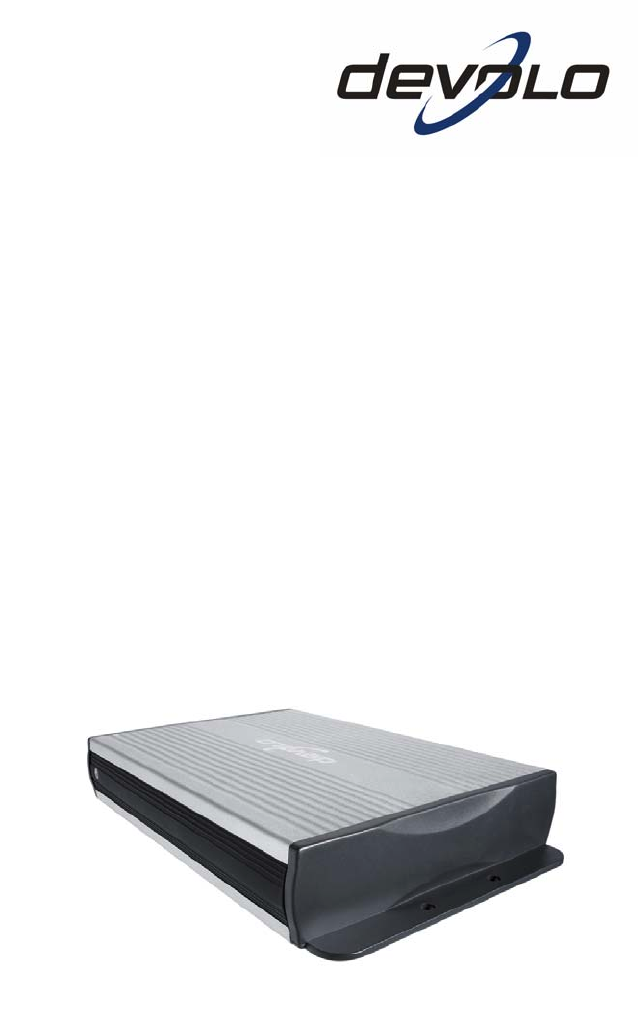
dLAN® TV Sat PC
Introduction || devolo dLAN TV Sat PC |10
| Quick start for Windows11| devolo dLAN TV Sat PC |2 Quick start for WindowsFollow the steps listed below to quickly set up the devolo dLAN TV Sat P
Quick start for Windows || devolo dLAN TV Sat PC |12 The installation wizard is called up automatically the first time you start the program. This i
| Initial use13| devolo dLAN TV Sat PC |3 Initial useThis chapter covers the hardware and software features, as well as its installa-tion and initial
Initial use || devolo dLAN TV Sat PC |143.2 System requirements (PC)쎲 Processor with at least 1.7 GHz (3 GHz recommended for HD programmes)쎲 At least
| Initial use15| devolo dLAN TV Sat PC |On the power supplyThe power supply of the dLAN TV Sat Tuner has three control lamps that indicate the curren
Initial use || devolo dLAN TV Sat PC |163.3.2 Connections and buttonsOn the tunerThe product is very easy to use. Therefore, the device has just a fe
| Initial use17| devolo dLAN TV Sat PC |3.4.1 Connection to the networkMultiple options exist for connecting the dLAN TV Sat Tuner to a computer usin
Initial use || devolo dLAN TV Sat PC |18How to tell when you have done it correctly쎲 If the dLAN TV Sat Tuner detects a network, the Ethernet LED on
| Initial use19| devolo dLAN TV Sat PC |How to tell when you have done it correctly쎲 If the satellite antenna and LNB are installed correctly, you ca
© 2009 devolo AG, Aachen (Germany)While the information in this manual has been compiled with great care, it may not be deemed an assurance of product
Initial use || devolo dLAN TV Sat PC |203.5 Connecting the remote control in WindowsThe remote control provided is Windows compatible. For operation
| Initial use21| devolo dLAN TV Sat PC |쎲 Using the devolo dLAN Configuration Wizard, you can use your own net-work key in your dLAN network.쎲 The de
Initial use || devolo dLAN TV Sat PC |22range manually as an exception. You should be able to obtain additional infor-mation from the manufacturer of
| Initial use23| devolo dLAN TV Sat PC | Elgato EyeTV lite is now installed. Once the installation is complete, the application appears in the Progr
Initial use || devolo dLAN TV Sat PC |24The yellow LED for the LAN connection (tuner) is not illuminated. For connection via dLAN: Check whether the
| Initial use25| devolo dLAN TV Sat PC |No stations are found during the channel search. The satellite antenna is not aligned correctly. Check the i
Initial use || devolo dLAN TV Sat PC |26 Check whether the USB port works correctly, for example by plugging in another device as a test. Check whe
| Configuration27| devolo dLAN TV Sat PC |4 Configuration4.1 Connection to the dLANIf the dLAN TV Sat PC is connected to the dLAN network via a corre
Configuration || devolo dLAN TV Sat PC |28devolo Informer generally updates the list of found dLAN devices automatically. If newly-added adapters do
| Configuration29| devolo dLAN TV Sat PC |If the entry Device unreachable, check IP configuration appears in the over-view window, there is a discrep
| 3|devolo dLAN TV Sat PC |ContentsPreface ... . . . . .
Configuration || devolo dLAN TV Sat PC |30Please note the following basic principle when choosing your encryption method: 쎲In dLAN networks that cons
| Configuration31| devolo dLAN TV Sat PC |To integrate additional dLAN 200 AV adapters in your network, repeat the above steps. Removing a dLAN 200
Configuration || devolo dLAN TV Sat PC |32If at least one dLAN adapter has been found that is reachable directly from your computer, you can select a
| Configuration33| devolo dLAN TV Sat PC |You will need the 16-character Security IDs of the various adapters from the label on the housing. Enter th
Configuration || devolo dLAN TV Sat PC |34쎲 Scan channels쎲 TV settings쎲 Recording settings쎲 Program Guide settings (EPG)쎲 Display and audio settingsT
| Configuration35| devolo dLAN TV Sat PC |During the new search for digital satellite channels, previously found stations are deleted. Exit Setup Wi
Configuration || devolo dLAN TV Sat PC |364.4.3 Signal SettingsIn the "Signal Settings" configuration dialogue, you can configure the recep
| Configuration37| devolo dLAN TV Sat PC |Time-ShiftingUsing Enable Time-Shifting, TV and radio programs can be received in Cyber-Link TV Enhance for
Configuration || devolo dLAN TV Sat PC |38lite configurations your dLAN TV Sat PC is to take into account when searching for channels.The list of ava
| Configuration39| devolo dLAN TV Sat PC |쎲 Using the Rename function, you can change the name of a channel in the list using the computer keyboard.
|| devolo dLAN TV Sat PC |44.4.2 Scan Channels ... . . . . . . . . . . . . . 354.4.3 Si
Configuration || devolo dLAN TV Sat PC |40쎲 By Transponder: On the satellite, multiple channels are transmitted techni-cally using what is called a t
| Configuration41| devolo dLAN TV Sat PC |쎲 Hypertext (.HTML)4.4.5 Guide SettingsCyberLink TV Enhance has its own digital program guide (EPG=Electron
Configuration || devolo dLAN TV Sat PC |42received via satellite. No Internet connection or additional subscriptions are required—this service is fre
| Configuration43| devolo dLAN TV Sat PC |Screen RatioSelect an aspect ratio that corresponds to the monitor on which the TV picture is to be output
Configuration || devolo dLAN TV Sat PC |44configured the screen aspect ratio as 16:9, the only available option is Let-terbox.Colour ProfileWhen the
| CyberLink TV Enhance45| devolo dLAN TV Sat PC5 CyberLink TV Enhance5.1 About CyberLink TV EnhanceYou can use the CyberLink TV Enhance program to wa
CyberLink TV Enhance || devolo dLAN TV Sat PC |46The Home and Back buttons are located in the top left corner of the screen. You can use the Home but
| CyberLink TV Enhance47| devolo dLAN TV Sat PCA progress bar appears at the top of the information field and always shows the current hour. It serve
CyberLink TV Enhance || devolo dLAN TV Sat PC |48You can click in the playback image or press the Escape key to return to the main screen.5.1.3 The s
| CyberLink TV Enhance49| devolo dLAN TV Sat PCrecording and playback of broadcasts and even the digital program guide can be used as with TV.During
| Preface5| devolo dLAN TV Sat PC |PrefaceThank you!With the dLAN TV Sat PC, you have purchased a dLAN adapter that allows you to watch digital satel
CyberLink TV Enhance || devolo dLAN TV Sat PC |50쎲 Overlapping window (Always on top button in the quick menu): The cur-rent program is displayed in
| CyberLink TV Enhance51| devolo dLAN TV Sat PCcurrent broadcast CyberLink TV Enhance has already buffered and what point of the broadcast you are cu
CyberLink TV Enhance || devolo dLAN TV Sat PC |52쎲 1.4x쎲 2x쎲 4x쎲 8x쎲 16x쎲 32xAn additional click on the corresponding button or on the Play button br
| CyberLink TV Enhance53| devolo dLAN TV Sat PCIf you want to find a particular broadcast in your channel list, you can use the search function integ
CyberLink TV Enhance || devolo dLAN TV Sat PC |54The dLAN TV Sat PC supports only free-to-air stations.5.2.6 The Program Guide (EPG)Using the electro
| CyberLink TV Enhance55| devolo dLAN TV Sat PCwant to View Channel. If this program was already set to be recorded, you can cancel it in the same wa
CyberLink TV Enhance || devolo dLAN TV Sat PC |56At the bottom edge of the screen, the current functions of the four coloured but-tons are displayed,
| CyberLink TV Enhance57| devolo dLAN TV Sat PCRecorded TV folder. You can change the destination, however, as desired. For more information, refer t
CyberLink TV Enhance || devolo dLAN TV Sat PC |58쎲 Channel: Select the station here쎲 Scheduling interval: Here you can define whether the recording s
| CyberLink TV Enhance59| devolo dLAN TV Sat PCBy clicking or selecting a recording with the devolo remote control, you can select whether you want t
Preface || devolo dLAN TV Sat PC |6IconsA number of places in this manual are highlighted with special icons:Very important note. Failure to observe
CyberLink TV Enhance || devolo dLAN TV Sat PC |60
| Appendix61| devolo dLAN TV Sat PC |6 Appendix6.1 Important safety instructionsAll safety and operating instructions should be read and understood b
Appendix || devolo dLAN TV Sat PC|626.2 dLAN bandwidth optimisationWe recommend observing the following connection rules to eliminate possible source
| Appendix63| devolo dLAN TV Sat PC |6.3 The devolo remote controlThe following is a brief explanation of the buttons on the devolo remote control (a
Appendix || devolo dLAN TV Sat PC|64The devolo remote control is Windows compatible. For operation in Mac OS X, you can use the Apple Remote control.
| Appendix65| devolo dLAN TV Sat PC |System requirements Ethernet interface Coax cable with F-connector with satellite access USB port for infrared r
Appendix || devolo dLAN TV Sat PC|666.5 Disposal of 6.5.1 Old devices The icon with crossed-out wastebasket on the device means that this adapter is
| Appendix67| devolo dLAN TV Sat PC |6.6 CE conformity6.6.1 dLAN TV Sat TunerKONFORMITÄTSERKLÄRUNG DECLARATION OF CONFORMITY Hersteller: devolo AGM
Appendix || devolo dLAN TV Sat PC|686.6.2 dLAN TV Sat PC Remote controlKONFORMITÄTSERKLÄRUNG DECLARATION OF CONFORMITY Hersteller: devolo AGManufac
| Appendix69| devolo dLAN TV Sat PC |6.6.3 dLAN TV Sat PC Infrared receiverKONFORMITÄTSERKLÄRUNG DECLARATION OF CONFORMITY Hersteller: devolo AGMan
| Introduction7| devolo dLAN TV Sat PC |1 IntroductiondLAN is an intelligent, secure technology that lets you set up a home network easily, quickly a
Appendix || devolo dLAN TV Sat PC|706.6.4 dLAN TV Sat PC Power supplyKONFORMITÄTSERKLÄRUNG DECLARATION OF CONFORMITY Hersteller: devolo AGManufactu
| Appendix71| devolo dLAN TV Sat PC |6.6.5 dLAN 200 AVeasyKONFORMITÄTSERKLÄRUNG DECLARATION OF CONFORMITY Hersteller: devolo AGManufacturer: S
Appendix || devolo dLAN TV Sat PC|726.7 Warranty conditionsThe devolo AG warranty is given to purchasers of devolo products in addition to the warran
| Appendix73| devolo dLAN TV Sat PC |5Operating mistakesIf it becomes apparent that the reported malfunction of the device has been caused by unsuita
|| devolo dLAN TV Sat PC |74IndexBBandwidth optimisation 62CCE conformity 66Configuration 27CyberLink TV Enhance 21DData encryption 30devolo Informe
| 75| devolo dLAN TV Sat PC |
Introduction || devolo dLAN TV Sat PC |81.1 What exactly is dLAN?The dLAN (direct Local Area Network) uses the household power grid to transfer data
| Introduction9| devolo dLAN TV Sat PC |You can connect the dLAN TV Sat PC to your computer using conventional Eth-ernet wiring (directly or via a sw
Więcej dokumentów dla Karty sieciowe Devolo dLAN® TV Sat PC
Powiązane produkty i podręczniki dla Karty sieciowe Devolo dLAN® TV Sat PC
 (2 strony)
© 2020, manymanuals.pl. Wszelkie prawa zastrzeżone. | 0.031 s |
 Manymanuals.com
 Manymanuals.de
 Manymanuals.fr
 Manymanuals.it
 Manymanuals.pl
 Manymanuals.cz
 Manymanuals.es
 Manymanuals-pt.com
Komentarze do niniejszej Instrukcji